Splid vs Tricount: which group expense app fits you
Splid vs Tricount: both are free, uncapped and let people start without an account. Splid adds a free PDF summary and one-time extras; Tricount adds realtime sync, a Splitwise import and a bunq link. Which fits your group.
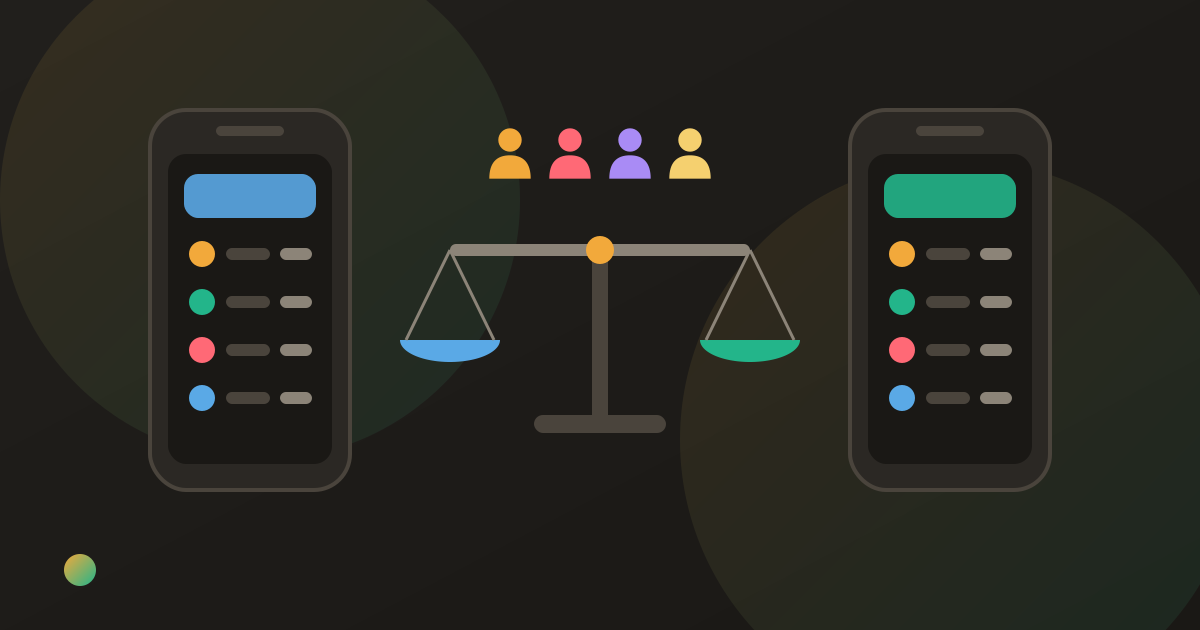
One friend has already made a Splid group. Another says “everyone in France uses Tricount” and has posted that link instead. Now the group has two ledgers, both empty, and someone has to pick before the first bill lands.
It is a choice between two similar apps, not a good one and a bad one. Splid vs Tricount comes down to how long your group lives. Both are free, uncapped and let people start without signing up. Splid is lighter and gives you a PDF summary at the end; Tricount keeps a group in sync for months, imports from Splitwise and links to the bank bunq. Neither reads receipts.
What each app is built for
Splid is a small, no-account splitter made by an independent developer. One person creates a group, shares it, and the others join with no sign-up. Its store listing says it works on and offline, converts between more than 150 currencies automatically, handles uneven splits and expenses where more than one person chipped in, and lets you download a summary as a PDF. Extras are in-app purchases, not a subscription: the US App Store lists Splid Plus ($3.99) and a two-group pack ($2.99), and Excel export is also an in-app purchase.
Tricount started in Belgium and is now owned by the bank bunq, which announced the acquisition on 3 May 2022. It presents itself as free with no limits, lets you try it without signing up, works offline, includes currency conversion and advertises an import of Splitwise groups. If you bank with bunq, card payments can be added to a tricount as you spend. What Tricount is and how it works covers the basics.
Splid vs Tricount at a glance (as of October 2026)
| Splid | Tricount | Donget | |
|---|---|---|---|
| Price | Free; optional one-time purchases | Free; no subscription | Free |
| Expense limit | None | None | None |
| Ads | No ads label in the stores | Site: none; Google Play: “Contains ads” | None |
| Start without an account | Yes, no sign-up | Yes, try without signing up | Guest mode (2 groups) |
| Sync | Opt-in, by sharing the group | Realtime | Realtime |
| Works offline | Yes | Yes | Yes |
| Multi-currency | Free, 150+ currencies | Free | Free |
| Split unevenly | Yes | Yes | Yes |
| Split item by item | No | No | Yes |
| Receipt reading | No | No (photo attachment only) | AI, free |
| Export | PDF summary free; Excel paid | On request to support | None |
| Bank link | None | Optional bunq card link | None |
Sources: each app’s store listing and website, Tricount’s help centre, and our Donget comparison pages for each app.
Where Splid wins
Nothing to sign up for, ever. Splid never asks for an account. For a weekend with a friend-of-a-friend who will not install a second app, that is the whole argument.
A summary you can keep. You can download a PDF summary of a group free, and buy Excel export once if you need a spreadsheet. Tricount took export out of the app when it discontinued Premium; what changed in Tricount covers what went with it.
More than one person paying toward one bill. The listing’s own example is a supermarket bill one person paid while another chipped in $10, entered as one expense.
No bank behind it. Splid is a small independent app with no bank attached. Whether that matters is up to you; for some people it is the reason they pick it.
Where Splid loses
Sync is something you switch on. A Splid group can live offline on one phone, and sharing it is how others get in. A group that was never shared exists only on that phone, and with no account there is no sign-in that carries your groups to a new one.
More groups cost money. Extra groups are an in-app purchase. The listing does not say how many groups are free, so a flatshare that also tracks trips should check before it relies on Splid for everything.
Fewer languages. The App Store lists English, French, German, Italian and Spanish.
Where Tricount wins
A group that lasts. Tricount keeps everyone in realtime and ties a tricount to a login once you make one, which suits a flatshare you will keep for years.
It may already be there. Tricount is widely used across Europe, so there is a fair chance someone in the group already has it. Moving people costs more than any feature row.
Moving from Splitwise. Tricount advertises an import of existing Splitwise groups, which helps if you hit Splitwise’s four-expense daily limit and are leaving.
A bunq account, if you have one. Card payments can flow into a tricount on their own. For bunq customers that saves typing; for everyone else it is irrelevant.
Where Tricount loses
No export in the app. Export left the app with Premium, and the help centre says to ask support for one. A request takes longer than a tap.
Mixed signals on ads. Tricount’s site says “no ads” and its privacy policy states that version 8 of the app contains no advertising, while Google Play still shows the “Contains ads” label. Check the version you install.
A bank in the picture. Tricount belongs to bunq and runs on its platform. Splitting a bill needs no bank account, but the app offers bunq’s card and account links. If that is a concern, is Tricount safe? sets out who holds the data and what the privacy policy says.
The same weekend in both apps
Marta, Jonas, Inès and Pieter spend a long weekend in Lisbon. Marta pays €360 for the apartment, Jonas €72 for groceries, Pieter €128 for dinner, all shared by four. Inès pays €150 for a surf lesson for the three who went; Jonas stayed on the beach.
| Paid | Share | Balance | |
|---|---|---|---|
| Marta | €360 | €190 | +€170 |
| Jonas | €72 | €140 | −€68 |
| Inès | €150 | €190 | −€40 |
| Pieter | €128 | €190 | −€62 |
| Total | €710 | €710 | €0 |
The shared costs come to €560, or €140 each; the surf lesson adds €50 each for Marta, Inès and Pieter. Both apps arrive at the same three transfers: Jonas pays Marta €68, Pieter pays Marta €62, Inès pays Marta €40. With one person owed and three owing, three is the minimum; how debt simplification works explains why.
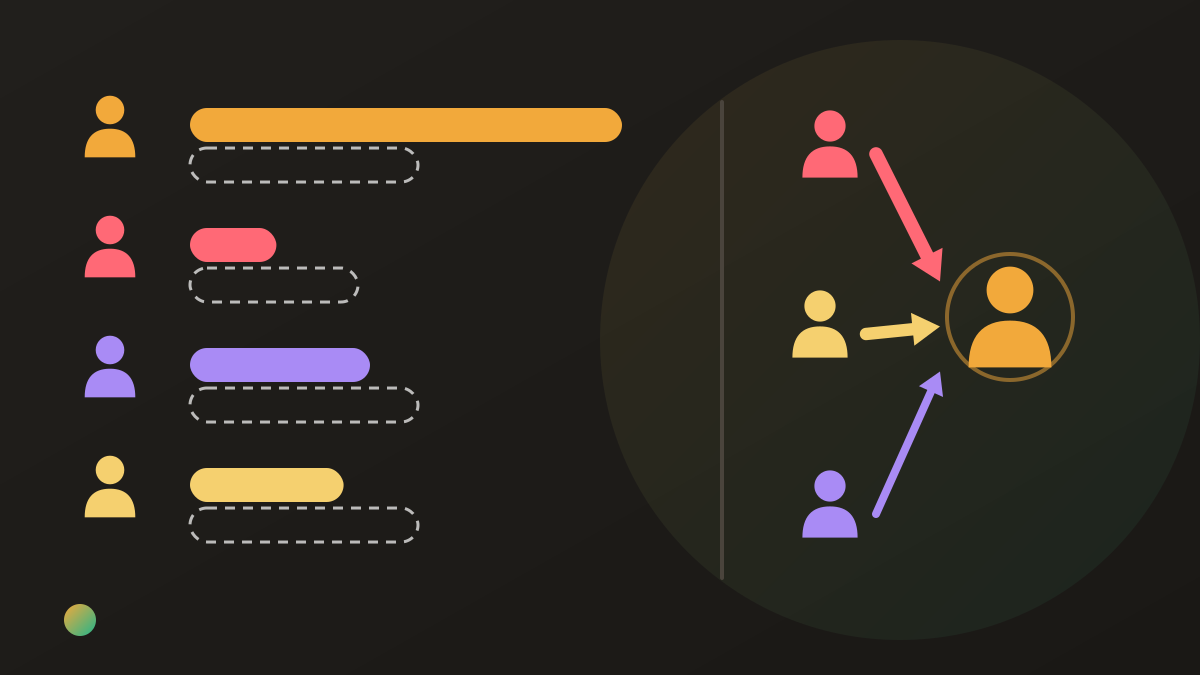
The maths is identical. What differs is around it: whether Jonas had to sign up, whether the group survives Pieter replacing his phone, and whether Marta can download the result.
Splid ou Tricount: which one for which group
French speakers ask it as “Splid ou Tricount?”, and the answer is the same in any language.
A weekend away, nobody wants an account, someone wants a PDF. Splid.
A flatshare or a group you will reuse for months. Tricount, for realtime sync and a login.
Your friends already have one of them. That one. An app everyone already has beats one nobody installs.
A dinner split by what each person ordered, or a pile of paper receipts. Neither does it. How to split a restaurant bill shows the arithmetic you would be doing by hand.
Splid vs Tricount vs Splitwise
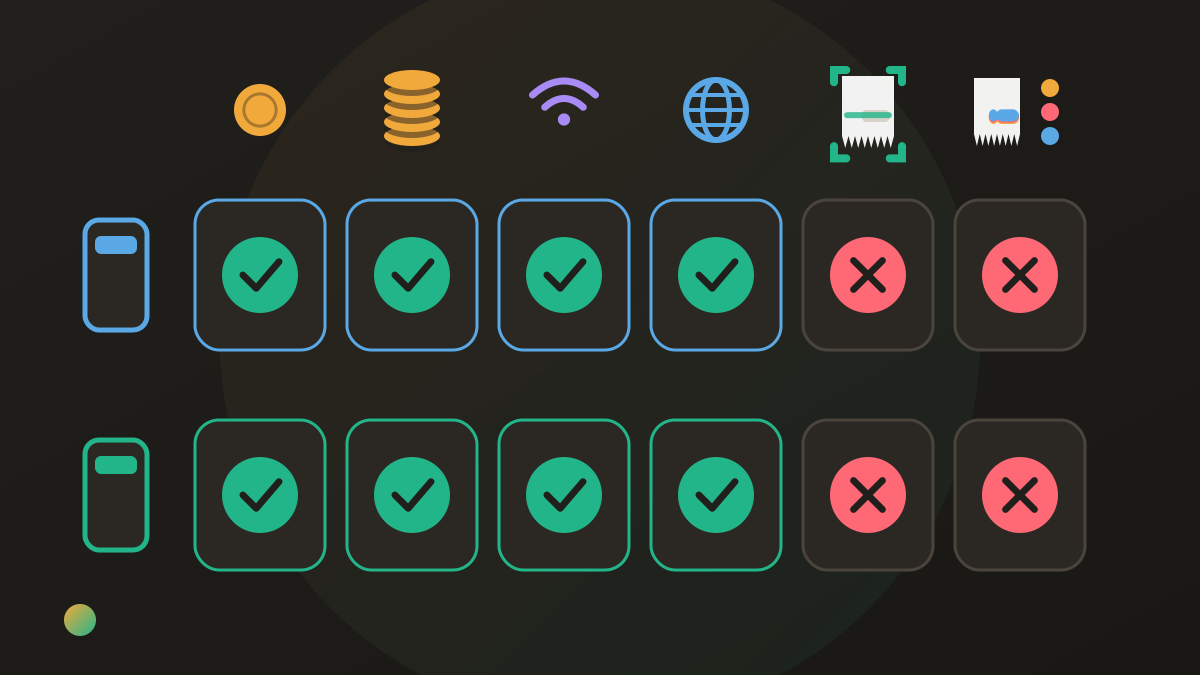
Splitwise is the name that comes up third. It has a large network and a mature web app, but its free plan allows four expenses a day with ads, and currency conversion, receipt scanning and itemized splits sit in Pro at $4.99 a month. Against Splid and Tricount, which cap nothing, that matters on any busy trip. Splitwise vs Splid and Splitwise vs Tricount take each pairing head to head.
Where Donget comes in
Donget covers what both apps leave out, and is also free. There is no cap and no ads, signed-in groups sync in realtime, and expenses can be added offline. A bill goes in with Scan a receipt and Scan with AI, and each person can Claim a share of the items they had, so the person who skipped the wine does not pay for it. Other expenses split Equally or by Amounts, Shares or Percent, and Settle up suggests the fewest transfers. Friends who have not installed anything can be added with Add a name and pick that name from the list when they join.
Where it loses: Donget has no export at all, where Splid gives you a PDF. Each expense has one payer, so Splid’s “someone chipped in” bill goes in as two expenses. Beyond a guest mode of two groups you sign in, which Splid never asks. And its network is smaller than Tricount’s.
Frequently asked questions
Splid vs Tricount: which one is better?
Neither wins everywhere. Splid suits a short trip with no accounts and a PDF at the end; Tricount suits a long-lived group, realtime sync, or a move from Splitwise.
Are Splid and Tricount both free?
Yes, with no limit on expenses. Splid sells optional one-time extras such as Splid Plus, extra groups and Excel export. Tricount has no subscription since Premium was discontinued.
Do Splid and Tricount show ads?
Splid’s store listings carry no ads label. Tricount’s site says no ads, while its Google Play listing still shows “Contains ads”, as of October 2026.
Can Splid or Tricount scan receipts or split a bill item by item?
No. Neither reads a receipt or assigns bill lines to people. Both divide a whole expense, equally or unevenly, typed in by hand.
Can I export my expenses from Splid or Tricount?
Splid gives you a PDF summary, and Excel export is an in-app purchase. Tricount removed in-app export; its help centre says to ask support.
Splid ou Tricount for a trip in France?
Both work in French and handle euros and other currencies. Pick the one your friends already have; if nobody has either and the trip is short, Splid is lighter.
The bottom line
Splid and Tricount solve the same problem with the same honesty: free, uncapped, no sign-up wall. Splid is the lighter tool for a trip that ends on Sunday; Tricount is the sturdier one for a group that keeps going. If what you are missing is the receipt read for you and the bill split by what each person had, neither app is built for that.
Download Donget free and split the next dinner by what each person actually ordered, with no cap and no ads.