Wanderlog vs Splitwise: which one does your group trip need?
Wanderlog vs Splitwise for a group trip: compare itinerary planning, shared expenses and free-plan limits, then choose where your group keeps its balances.
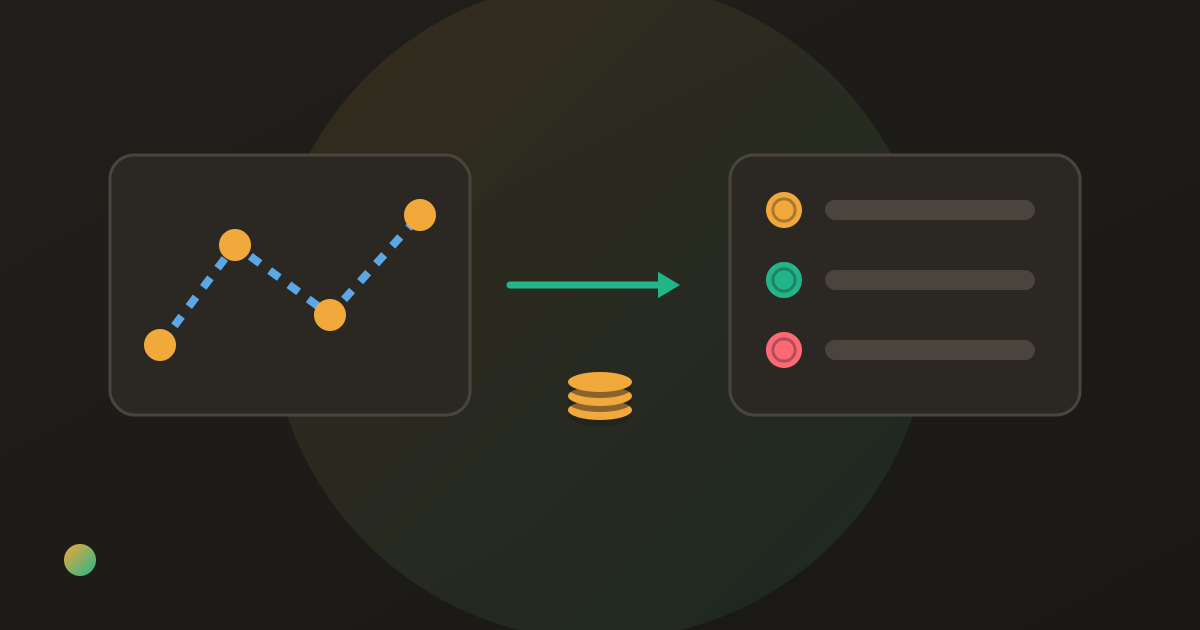
One friend has built the weekend route in Wanderlog. Another has started a Splitwise group. Before the first booking, you already have two places that could tell everybody what they owe. Comparing Wanderlog vs Splitwise starts with deciding what you need to organise.
Wanderlog suits a group that wants its itinerary, map, reservations and shared travel expenses together. Splitwise suits a group whose main need is a shared expense ledger, including costs outside the trip. Both can split bills. Choose one place for actual expenses and repayments so the group has one balance to settle.
Wanderlog vs Splitwise: choose the job first
Ask which question keeps getting lost in your chat. Is it “What are we doing on Saturday?” or “Who paid for the apartment?” Wanderlog answers the first while also providing travel expense tracking. Splitwise concentrates on the second across trips, households and other groups.
There is no reason to introduce another money tool just because you recognise its name. If your friends already understand and use Wanderlog’s expenses, keeping the trip there may be simpler. If they already share a Splitwise group and want to keep using it after the holiday, a separate itinerary can work well.
A third question is “Who is sorting this out?” A map pin does not necessarily mean somebody has booked the table. Keep named responsibilities visible whichever tools you choose; our group trip planning app comparison separates the itinerary, jobs and money in more detail.
A comparison for a shared holiday
This table reflects official product information checked on 22 October 2026. It describes capabilities, rather than results from a hands-on test. Plans and limits can change.
| What your group needs | Wanderlog | Splitwise |
|---|---|---|
| An itinerary and map | Core trip-planning features | Use a separate planner |
| Reservations alongside the plan | Organises travel reservations | Keep booking details elsewhere |
| Shared travel expenses | Yes, including who owes whom | Yes, with group balances |
| Spending breakdowns | Travel expenses by category and day | Expense tracking; additional charts in Pro |
| A ledger beyond the holiday | Organised around trip planning | Groups and friends for ongoing shared costs |
| Debt simplification | No particular algorithm claimed here | Advertises simplified debts |
| Free plan | Free travel expense tool; optional Pro planner features | Up to four expenses per day for free users |
| Receipt scanning | Not assessed here | Pro feature |
Wanderlog’s travel expense page confirms that expense splitting is part of its offering. Splitwise’s product overview describes its group balances and debt simplification. A feature left unassessed in this table should not be read as missing.
When Wanderlog is the more useful starting point
A city break has places, dates and bookings before it has a final bill. Wanderlog lets friends work on the plan together, see locations on a map and keep reservations with the itinerary. Its mobile planner overview also describes packing checklists and group cost tracking.
That combination is useful when the real work is choosing stops, arranging the days and keeping the booking details findable. Someone checking a museum visit can also see how it fits into the trip. You can then use the expense area for actual shared costs rather than starting another ledger by habit.
The trade-off: a trip planner introduces more structure than you need for a single restaurant bill or a household that shares expenses every month. A travel budget is also an estimate, not proof of a purchase. Keep estimated accommodation costs separate from the amount actually paid when a booking changes.
Before choosing, check any particular paid feature you depend on in the current plan. This comparison deliberately does not promise a free offline itinerary, a receipt scanner or a particular settlement algorithm for Wanderlog. The useful confirmed point is that it already handles shared travel costs as well as planning.
When Splitwise is the more useful starting point
Splitwise makes sense when the group wants an expense record that outlives one holiday. The same friends may share a weekend away, a concert booking and occasional dinners. Its web app can also matter if the organiser prefers entering costs on a computer.
Its product overview describes equal and unequal splits, recurring expenses and simplified debts. Those are useful ledger features, but they do not organise the route or hotel confirmations. Keep the booking email somewhere the travellers can actually find it rather than expecting an expense title to replace a reservation record.
The trade-off: the current Pro help page says free users can add up to four expenses per day; receipt scanning and currency conversion are Pro features. Four entries may be enough on some days and restrictive on others. Count likely purchases before everyone commits to a workflow. Our guide to Splitwise’s daily limit explains the practical choices.
Do not merge unrelated purchases just to disguise who paid or who took part. An entry that mixes groceries for everyone with one person’s ticket is harder to check later, whatever app holds it.
One trip, one ledger: a worked example
Ana, Ben and Cleo agree to share three costs equally on a weekend away. Ana pays €360 for the stay, Ben pays €90 for train tickets, and Cleo pays €90 for shared groceries. All three took part in all three costs.
| Person | Paid towards shared costs | Share of the €540 total | Position before repayment |
|---|---|---|---|
| Ana | €360 | €180 | Receives €180 |
| Ben | €90 | €180 | Pays €90 |
| Cleo | €90 | €180 | Pays €90 |
Ben sends €90 to Ana and Cleo sends €90 to Ana. Each person’s final cost is €180. Two transfers are enough, and two are necessary here because both Ben and Cleo have money left to pay.
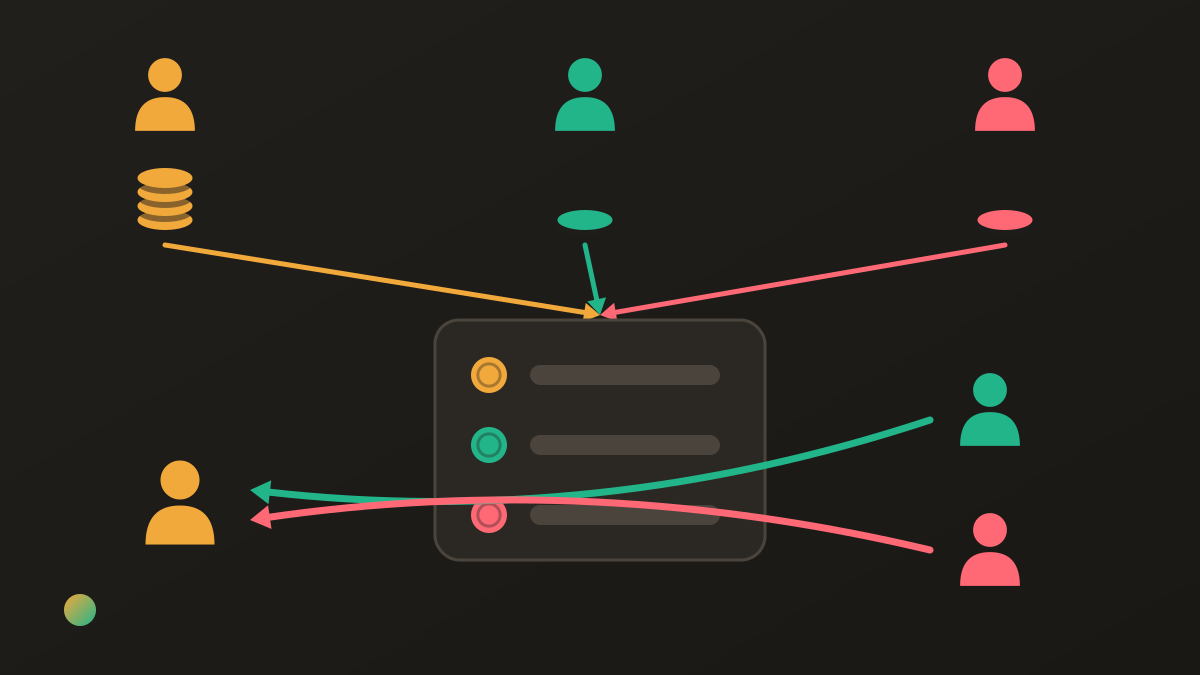
Those numbers do not change with the app. The group should record the three purchases and the two repayments in its chosen ledger. If Wanderlog holds the itinerary and Splitwise holds the expenses, a planning estimate in Wanderlog must not become a second demand for the same €90.
If the stay is partly refunded, correct the stay in the ledger everybody checks. Do not correct one app while leaving the other showing the old balance. The step-by-step balance calculation explains how paid amounts and agreed shares produce these positions.
What if the missing piece is who does what?
A settled bill does not tell you whether anyone has arranged the grocery shop. Give each shared job a named owner and distinguish “will buy it” from “has bought it”. A who-brings-what list is enough for a small weekend; a group with changing responsibilities may prefer shared tasks.
Donget brings those tasks and expenses into one group. Switch between Money and Tasks, use Add task, and assign the job or leave it Open for someone to take. Marking a task done is separate from recording a cost. After you finish a task called Buy groceries, the completion flow can offer Spent money on Buy groceries?. Add expense carries over the title; you still enter the amount and the people sharing it.
Donget has no itinerary, maps, booking service, web app or recurring expenses. It also does not move money. A group that needs an itinerary can use a planner alongside it; a group already happy with another shared ledger need not duplicate the expenses. For people who prefer a flexible manual record, a shared expense spreadsheet is another option, with formulas and corrections for the group to maintain.
FAQ
Is Wanderlog or Splitwise better for a group trip?
Choose Wanderlog when the group needs an itinerary, map and shared travel expenses together. Choose Splitwise when the main job is keeping a shared expense ledger, especially if the same friends already use it outside trips. Both can split costs; choose one place for the balances.
Can Wanderlog split expenses between friends?
Yes. Wanderlog’s travel expense tool tracks spending and shows who owes whom, alongside its trip-planning features. You do not need a separate splitting app merely because you are using Wanderlog for the itinerary.
Is Splitwise free for a group holiday?
Splitwise has a free plan, but its help centre currently says free users can add up to four expenses per day. Pro removes that limit and adds features including receipt scanning and currency conversion. Check the current plan before choosing it for a busy trip.
Should we enter the same expense in Wanderlog and Splitwise?
Keep one authoritative shared ledger. You can keep planning estimates elsewhere, but copying actual expenses into two balance systems makes corrections and recorded repayments easy to miss. A balance shown twice is still only one amount owed.
Does Splitwise plan routes or organise hotel bookings?
Splitwise is a shared expense tool rather than an itinerary planner. If you need a route, map or a central place for reservations, use a planner for those details and decide separately where the group’s expenses belong.
Where does Donget fit alongside a trip planner?
Donget combines shared tasks with group expenses and settle-up. It can track who will buy groceries or book the stay, but it does not provide an itinerary, map or booking service. Use it for jobs and money when those are the gaps your group needs to fill.
The bottom line
Choose Wanderlog for a trip that needs a shared plan with expenses alongside it. Choose Splitwise when the ongoing money record is the priority, after checking the free-plan limit. Whichever you choose, give every expense one authoritative home and make the outstanding jobs somebody’s responsibility.
Download Donget free and keep your group’s shared jobs and expenses together.