Shared to-do list apps for friend groups: owners, handoffs and costs
Compare shared to-do list apps for friends: Microsoft To Do, Todoist and Donget. Choose by access, responsibility, reminders and shared purchases.
“Someone should collect the key” is on the list. Four people have read it, and each assumes another person is handling it. A shared to-do list app helps only if the list records responsibility, not just a collection of things somebody hopes will happen.
Choose a shared to-do list app your friends will check, then give each shared job a named responsible person and a clear handoff. Use dates and reminders when timing is the main problem, or a task-and-expense record when jobs involve purchases. A checked task records completion; it does not prove anyone has been reimbursed.
A shared list needs more than checkboxes
Start with the smallest useful record: the job, the responsible person and what completion means. Add timing where needed and keep the current agreement in one place.
A who-brings-what list works for contributions. A shared packing list separates personal items from equipment somebody brings for everyone. A general task list handles the jobs between those lists: collect the room key, confirm the hire or buy the agreed supplies.
Shared to-do list apps compared
This comparison uses official information checked on 23 October 2026. These are conditional choices, rather than a ranking based on testing the apps ourselves.
| Tool | Useful for a friend group that needs | Free starting point | Main trade-off |
|---|---|---|---|
| Microsoft To Do | Shared assigned tasks, dates and repetition | Free with a personal Microsoft account | Friends need Microsoft accounts; keep reimbursements in a separate record |
| Todoist | Shared projects, assigned tasks and discussion | Beginner plan with collaboration and task reminders | Plan limits; one assignee per task; project information is shared |
| Donget | Shared jobs alongside actual purchases and settle-up | Free shared tasks and expenses | No task dates, automatic reminders or recurrence |
An existing tool can be enough. If the group needs routes, bookings or an itinerary, the group-trip planning comparison covers those needs; a to-do list alone does not constitute the whole trip plan.
Microsoft To Do: a familiar dated list
Microsoft’s sharing guidance explains sharing a list by invitation link and assigning tasks to people who have joined. Its scheduling help covers due dates, reminders and repeating tasks.
That fits friends who already use personal Microsoft accounts and want a job to appear on a particular day. Microsoft confirms that personal-account use is free.
The trade-off: friends need Microsoft accounts to join. Do not assume a work account will behave like a personal one or that a repeating job automatically rotates its assignee. In this setup, use your chosen expense record for purchases; a completed task and a note of the cost still need a reimbursement calculation.
Todoist: shared projects and one responsible person
Todoist’s friends-and-family collaboration guide covers personal projects, invitations, comments and assignment. Collaboration is available on its free Beginner plan. The current pricing page includes task reminders on Beginner, with custom reminders among Pro features.
Todoist deliberately assigns one person to each task. That can be useful when you want one clear point of responsibility. For a job involving several friends, its guidance suggests subtasks or duplicate tasks.
The trade-off: check plan limits rather than assuming a personal project accommodates every group. Shared-project collaborators can see the project’s tasks, comments and attachments and can edit its contents. Keep private details out of that project. A friend without an account receives an invitation to create a free one.
Donget: shared jobs beside expenses
Donget groups have Money and Tasks. Under Tasks, use Add task, then Who takes it? to give a job to one or more people. Leaving it Open lets someone choose Take it. These are named people responsible for the job, rather than names used merely as task titles.
For a task called Shared snacks, completion can offer Spent money on Shared snacks?. Add expense opens the expense form with the title prefilled only. The buyer enters the amount and checks the payer, participants and split. Finishing “collect the key” without spending anything needs no expense.
The trade-off: Donget has no task due dates, automatic task reminders or recurring tasks. It also does not supply bookings, maps or an itinerary. Use it when a shared job list and money record fit the plan, rather than expecting a scheduling system.
Make the handoff explicit
Before relying on the list, agree how someone will return a job they can no longer do. Tell the group what remains and get a replacement’s agreement; merely removing a name can leave an important job unattended.
For a joint job, say who will confirm that it is finished. Two names beside “collect the chairs” should mean the people have agreed to work together, rather than each assuming the other has done it. If the task changes, update the current list instead of leaving different instructions in several places.
A group-trip planning template can hold the wider plan. Choose one place for the task’s current owner so checking the plan does not become a hunt through messages and old versions.
A board-game afternoon: checked tasks are not paid bills
Alex, Bea, Chris and Dina organise an afternoon together. They agree to split the shared costs equally. Alex pays €84 for room hire, Bea €48 for shared snacks and Chris €12 for paper table covers. Dina brings her own board games as a free loan and takes them home afterwards. There is no hire charge, ownership transfer or credit against her share.
The shared total is €144, so each person’s share is €36.
| Friend | Paid towards shared costs | Agreed share | Balance before repayment |
|---|---|---|---|
| Alex | €84 | €36 | Receives €48 |
| Bea | €48 | €36 | Receives €12 |
| Chris | €12 | €36 | Pays €24 |
| Dina | €0 | €36 | Pays €36 |
Chris sends Alex €24. Dina sends Alex €24 and Bea €12. Those three transfers settle the shared purchases. Alex’s final cost is €84 minus €48, Bea’s is €48 minus €12, Chris’s is €12 plus €24, and Dina’s is €36: €36 each.
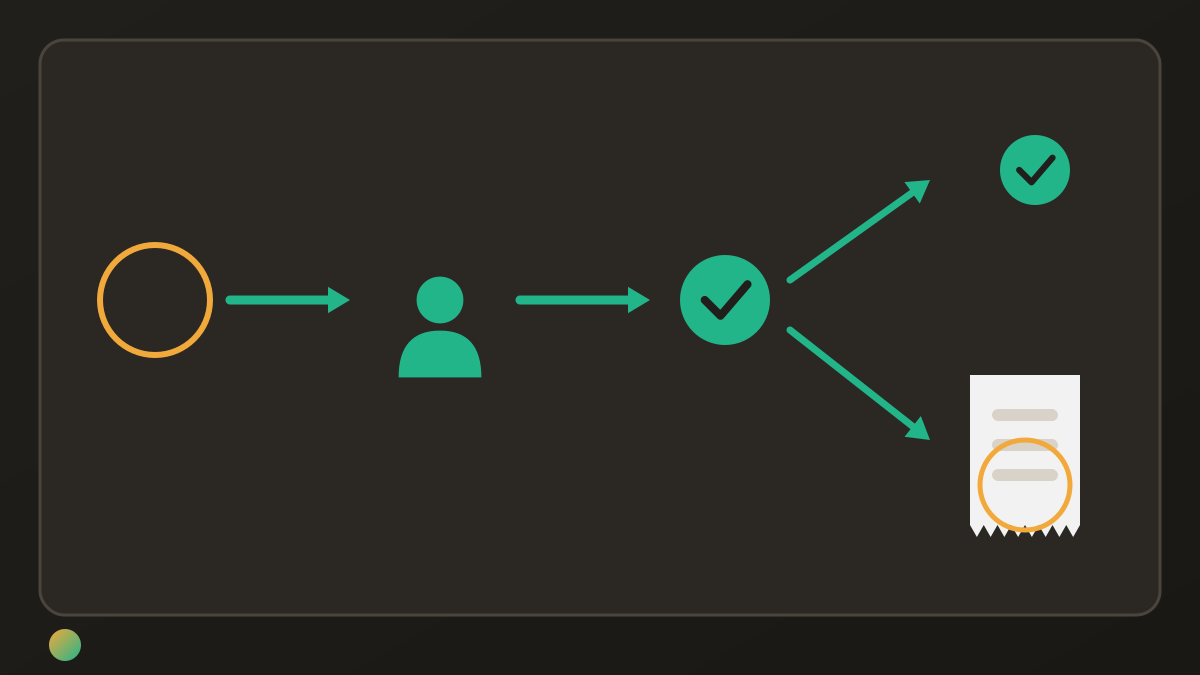
Marking the snack task done records that it happened. It does not record those three payments or cause an app to send money. The house-party cost guide explains agreeing shared purchases before people shop.
Keep personal jobs off the group list
“Pack my charger” does not need the same visibility as “collect the group’s hired equipment”. Keep private preparation separate so the shared list shows the jobs other people depend on.
In Donget, the Personal section under My tasks holds tasks visible only to their creator; they do not count towards group progress. That describes task visibility, not a private-expense mode. Review an actual shared purchase before adding it to the group’s money record.
Frequently asked questions
What makes a shared to-do list useful for friends?
Everyone should know where the list lives, who is responsible for each job and what counts as finished. Choose a tool the group will actually check. Agree how to hand work back or pass it on when plans change.
Which shared to-do list apps have a free option?
Microsoft To Do is free with a personal Microsoft account, and Todoist offers a free Beginner plan with personal-project collaboration and task reminders. Donget is free for shared tasks and expenses. Check any plan limits or paid extras against what your group needs.
Do friends need accounts to join a shared list?
Microsoft To Do requires a Microsoft account to join a shared list. Todoist invites people to sign up for a free account if they do not have one. Check how everyone will access the chosen tool before relying on it for shared work.
Can more than one person own a task?
Donget supports multiple assignees on a shared task. Todoist assigns one person per task and suggests subtasks or duplicate tasks for work involving more people. Whichever tool you use, make clear who is responsible for the handoff and confirming completion.
Does completing a task automatically create an expense?
No, in Donget the completion flow can offer to add an expense with the task title prefilled. You still enter the amount and review who paid, who is included and the split. Work done without spending money needs no expense.
Can Donget send task reminders or set due dates?
No, Donget has no task due dates or automatic task reminders. Use a dated task tool if those are essential, or agree a separate way to communicate timing. Donget suits shared responsibilities and purchases rather than automatic scheduling.
Choose one place the group will check
Choose dates and reminders when timing is the difficulty, clear assignment when responsibility is missing, and a shared expense record when jobs involve purchases. Agree a handoff method and keep private preparation separate. The useful list is the one that reflects who is actually doing the work.
Download Donget free and keep your friends’ shared jobs and purchases in one group.